DDE / Excel
Drag and drop real-time data into Microsoft Excel
Cogent DataHub™ offers two ways to connect to Microsoft Excel, by using the DataHub Add-in for Excel, or DDE. The DataHub Add-in for Excel approach offers several advantages. Find out more.
With the DDE approach you can drag and drop data into your spreadsheet to instantly see live updates.
With either approach you can save the spreadsheet and the next time you open it, all the data is refreshed and you have reports with up to the moment accuracy. It is also easy to pull data back out of Excel and use it as input to your control systems, or as analysis results you can share with a colleague.
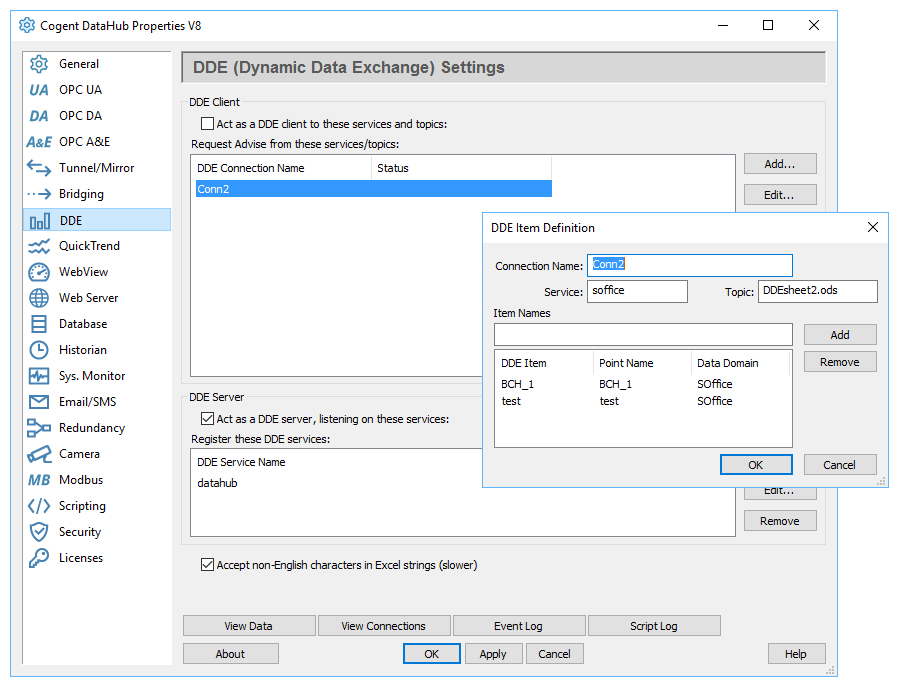
DDE support
- Cogent DataHub™ software can make DDE Advise connections to DDE servers. DDE Advise is an asynchronous mechanism by which the server sends data to the DataHub whenever it changes.
- By default, the DataHub will act as a DDE server itself, accepting DDE Advise connection requests from other DDE programs.
- When you drag and drop data from the DataHub into an Excel spreadsheet, you automatically configure Excel to establish a DDE Advise connection with the DataHub.
| Product | Code | Features | ||
|---|---|---|---|---|
| DataHub DDE Tunneller | DHDTUN | * DDE/Excel, Tunnel/Mirror | ||
| DDE/Excel support ** | ADDDDE | DDE/Excel |
* Includes Aggregation, Scripting, QuickTrend, and Security
** Available as an add-on feature


