Cogent DataHub™ WebView™
Web-deployed HMI to view your real-time data
DataHub™ WebView is a web-deployed HMI that connects directly to your real-time data feeds, for high-speed, low-latency performance. It provides a drag and drop interface, built into the DataHub, for building HMI screens with desktop-quality graphics. Zero-deployment lets your users see your graphics as soon as they are created. Unlimited web client connections and no data point restrictions give everyone in your organization access to the data they need.
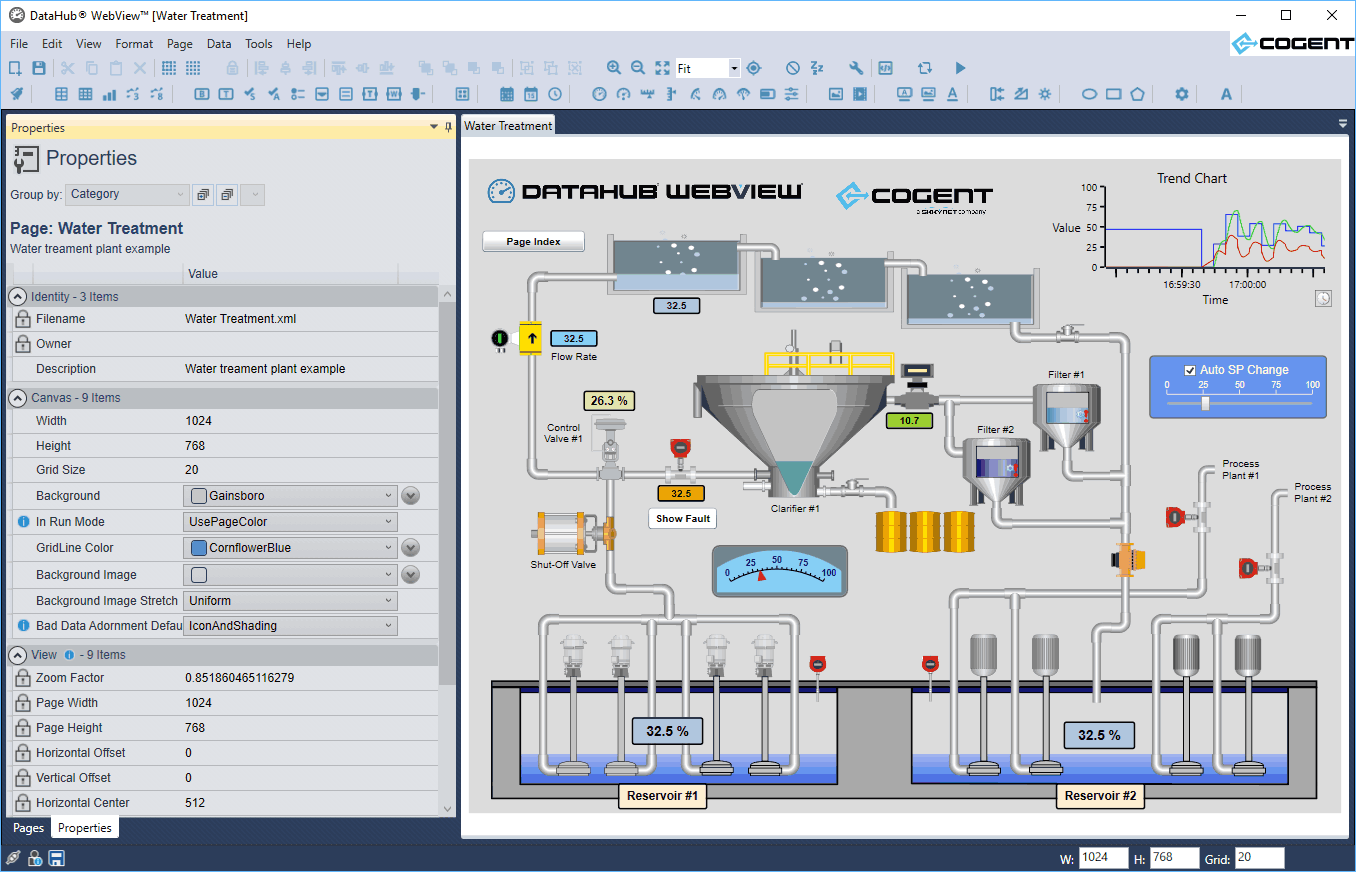
Web-deployed means:
- Centralized deployment so you can build screens anywhere and view them instantly everywhere.
- No coding required. Build all your screens using the powerful built-in graphical environment. Complete point and click freedom, with no code in sight.
- No development system required. You do not need to install a development system on your computer in order to build WebView screens. The development interface is provided to you. No compiler necessary.
- No deployment required. Because the screens you build in WebView are instantly saved, you never have to deploy your changes to other users. When you are editing a page and you want to show your colleagues, you simply save your changes, and tell your team to reload the page. No deployment, no complicated file updates.
- Collaborate on development. With no limit to the number of users accessing the system, you can have a team of developers building pages at the same time. Depending on the permissions you give to your team members you can have them edit any page, or restrict access so they can only edit the pages they build.
- Build entire multi-page HMI applications with hyperlinks between pages.
Security at every level. The permission-based security model allows you to define precise privileges for each user. You can define certain users to have read only access, while other can view and make changes but not access the development interface. In WebView, the security model is designed in, not an afterthought. - WebView’s powerful property binding feature allows for you to specify sophisticated graphical interactions between controls. Property binding allows you to associate any property of one control with the properties of other controls, all through a point-and-click interface. Unrestricted property binding saves you time and adds significant power to your WebView screen.
- DataHub WebView has a standard set of built-in controls, such as trends, gauges and sliders. In addition, WebView also ships with a complete set of Symbol Factory™ symbols, which offer thousands of industry standard symbols for a variety of industries. You can even load symbols that you design to meet your specific application needs.
These products support WebView
| Product | Code | Features | ||
|---|---|---|---|---|
| DataHub UA WebView | DHWVUA | * OPC UA, Tunnel/Mirror, WebView, Web Server, Historian | ||
| DataHub DA WebView | DHWV | * OPC DA, Tunnel/Mirror, WebView, Web Server, Historian | ||
| DataHub WebView** | ADDWV | Tunnel/Mirror, WebView, Web Server, Historian |
* Includes Aggregation, Scripting, QuickTrend, and Security
** Available as an add-on feature


